Project Overview
Summary
This project focused on redesigning Tripleseat's Lead Form Builder to provide greater flexibility, improved usability, and a smoother experience across Event and Booking forms.
Key Problems + Why They Mattered
Limitations in customisable lead form functionality were restricting the ability to capture valuable lead data.
Lack of branding customisation features were leading to brand misrepresentation and reducing trust for their customers.
Platform usability inconsistencies between event and booking form builders was causing frustration for users.
Support team inundated with repetitive requests (7% of tickets), reducing time available for other customer support issues.
My Role
I led the design, partnering closely with product management and engineering to align on requirements, technical constraints, criteria for success, and design workflows.
Project Goals
Goals
Enable customers to customise lead forms without relying on support.
Create a cohesive experience across Event and Booking lead forms.
Improve usability so users can build forms with little to no training.
Control layout and branding for a more on-brand guest experience.
Success Metrics
Lead Form Builder is customisable and can be easily modified.
Event and Booking forms share a consistent design and workflow.
Reduction in support tickets related to lead form setup.
Users can customise branding elements & preview their lead form.
Key Features &
Design Decisions
Simple, Guided Workflow
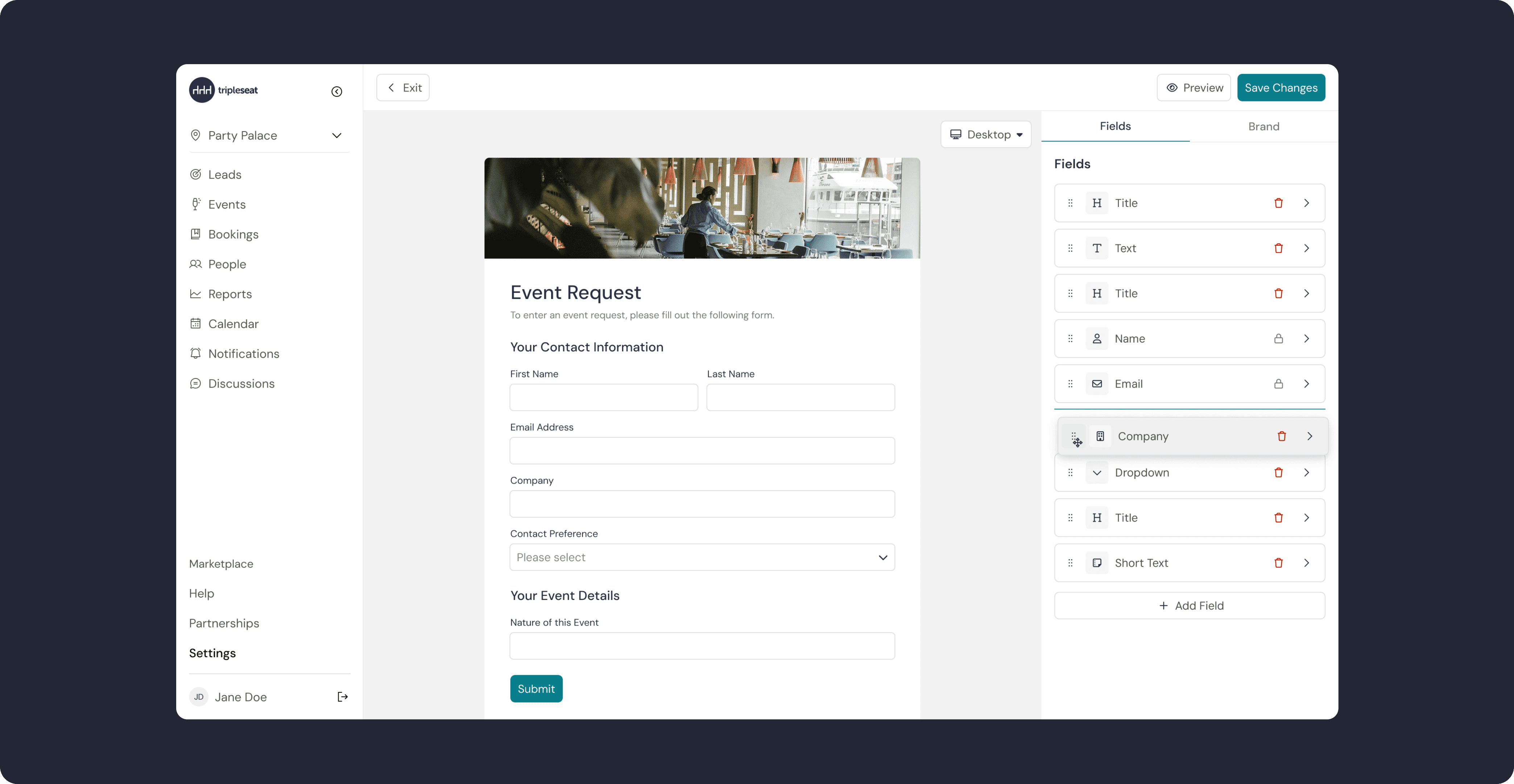
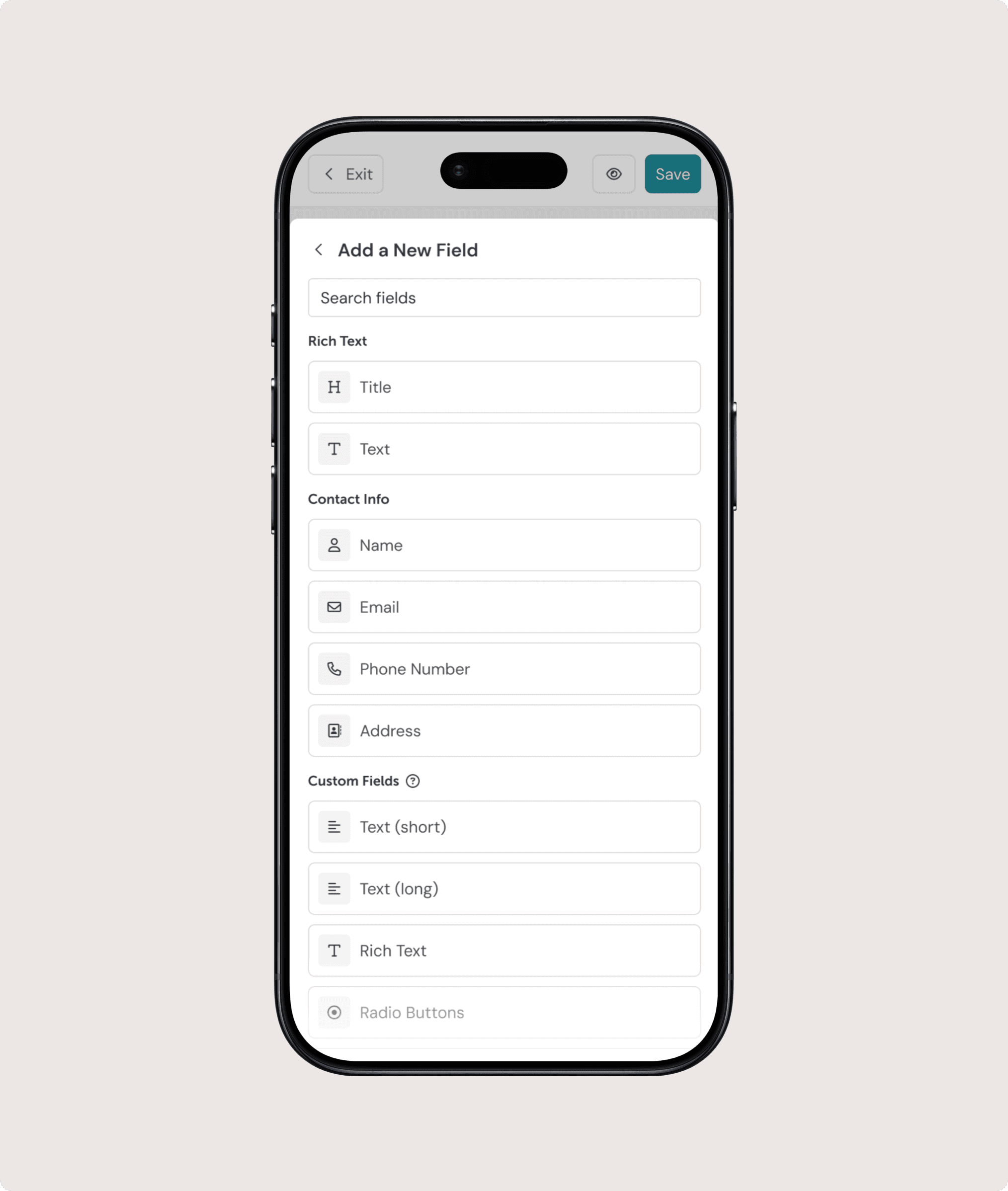
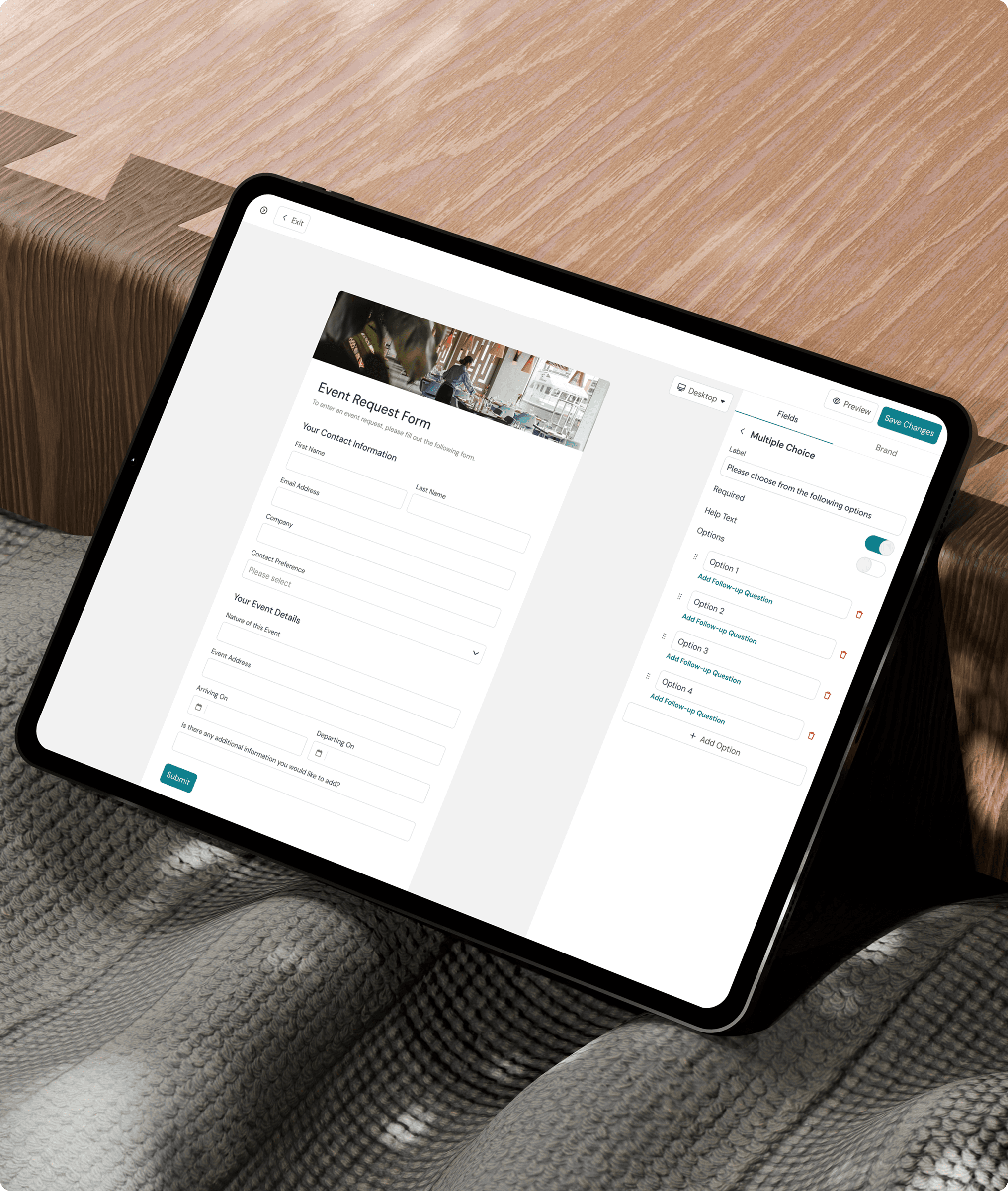
The UI is designed to be intuitive and self-explanatory, enabling users to easily build and modify lead forms.
Unified Experience for Events & Bookings
Event and Booking lead forms share the same workflow and visual language, creating a familiar and cohesive experience.
Brand Customisation & Preview
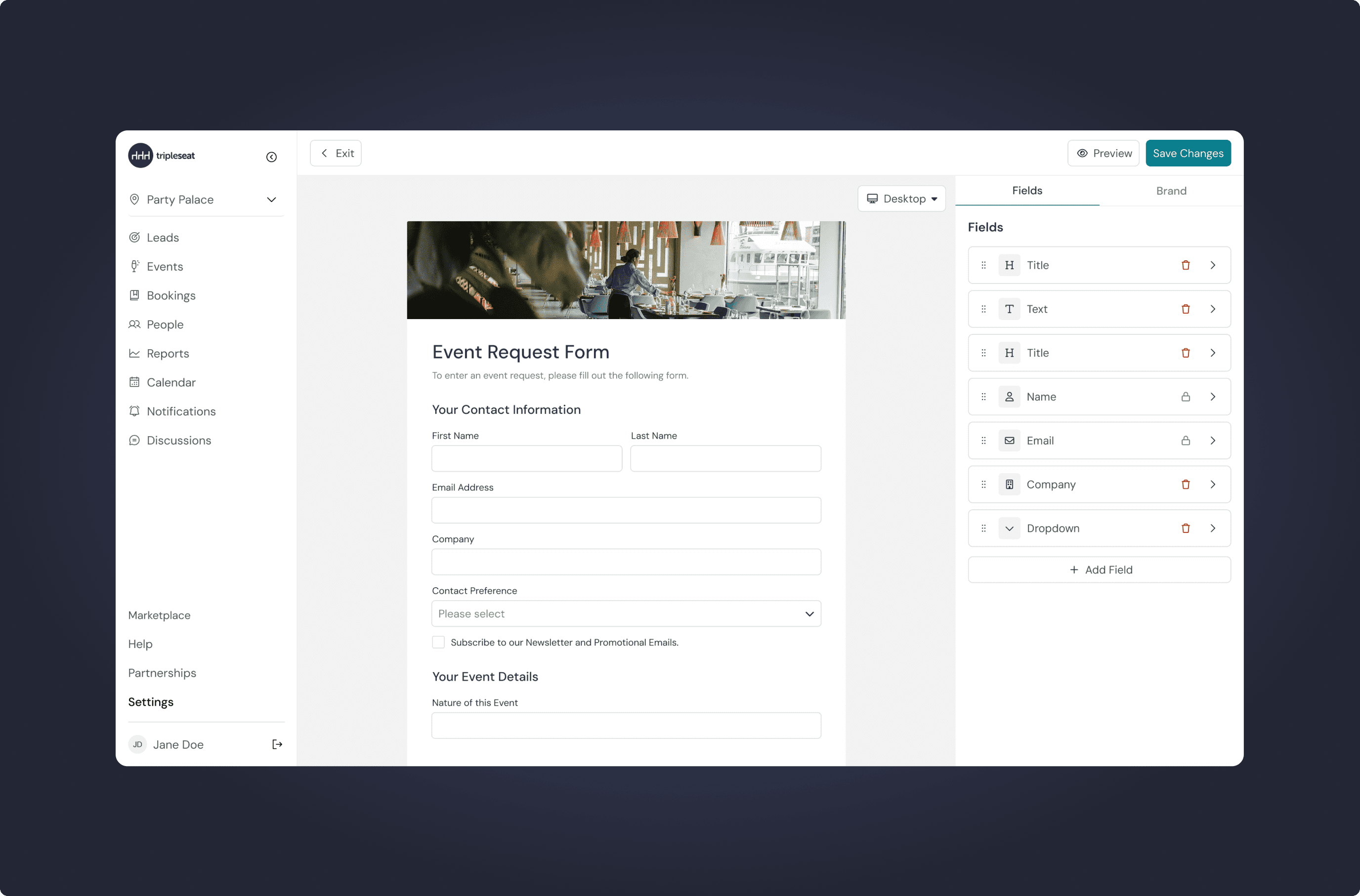
Users can customise branding elements and preview their lead form in real time, helping them understand the guest experience before publishing.
Layout Flexibility
Rather than configuring everything in abstract settings panels, users build the form directly in context. They can:
Interact with form elements as they configure them
Preview the guest experience in real time
Adjust colours, fonts and imagery to tailor the form to their brand
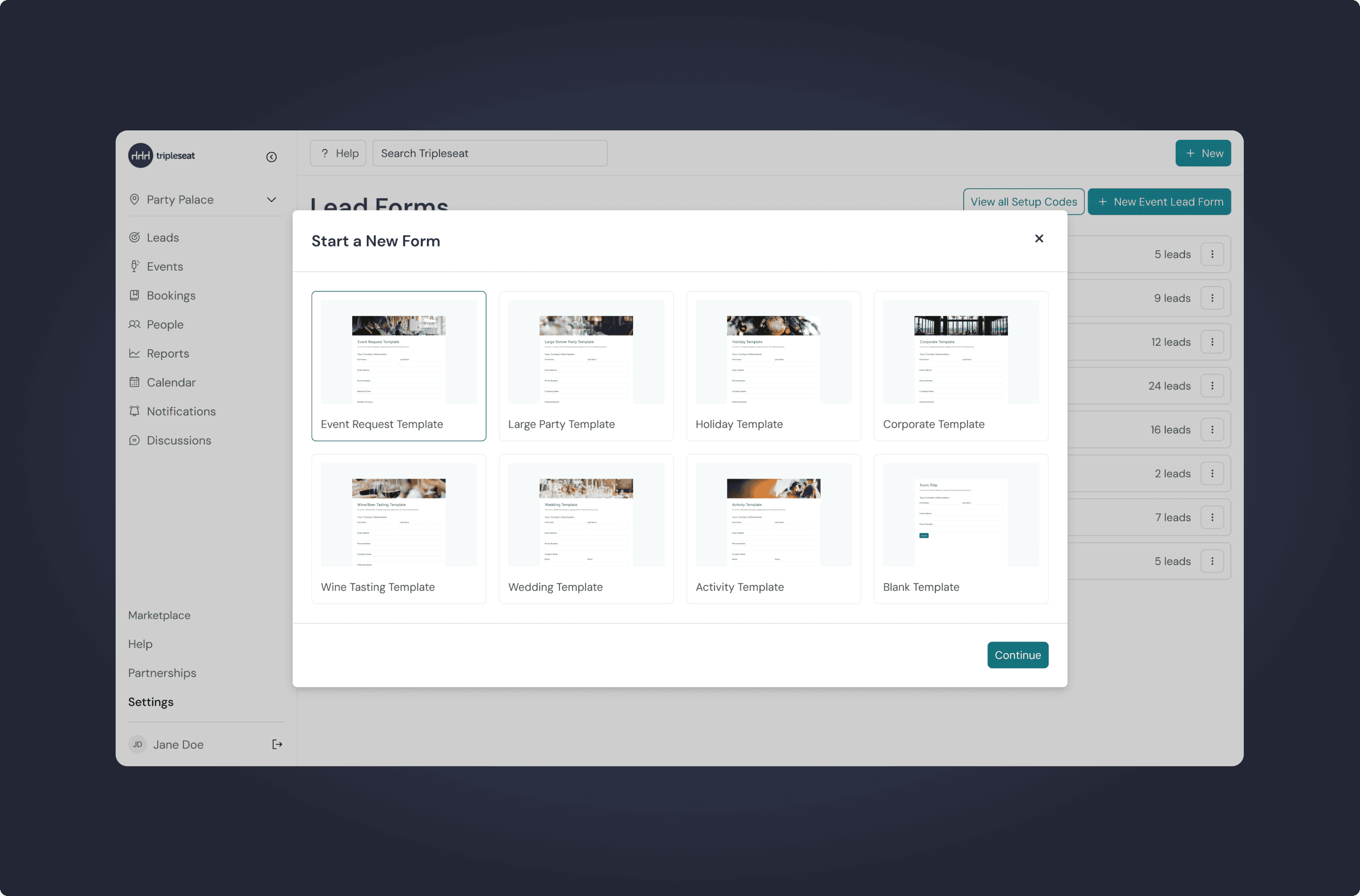
Pre-Built Lead Templates
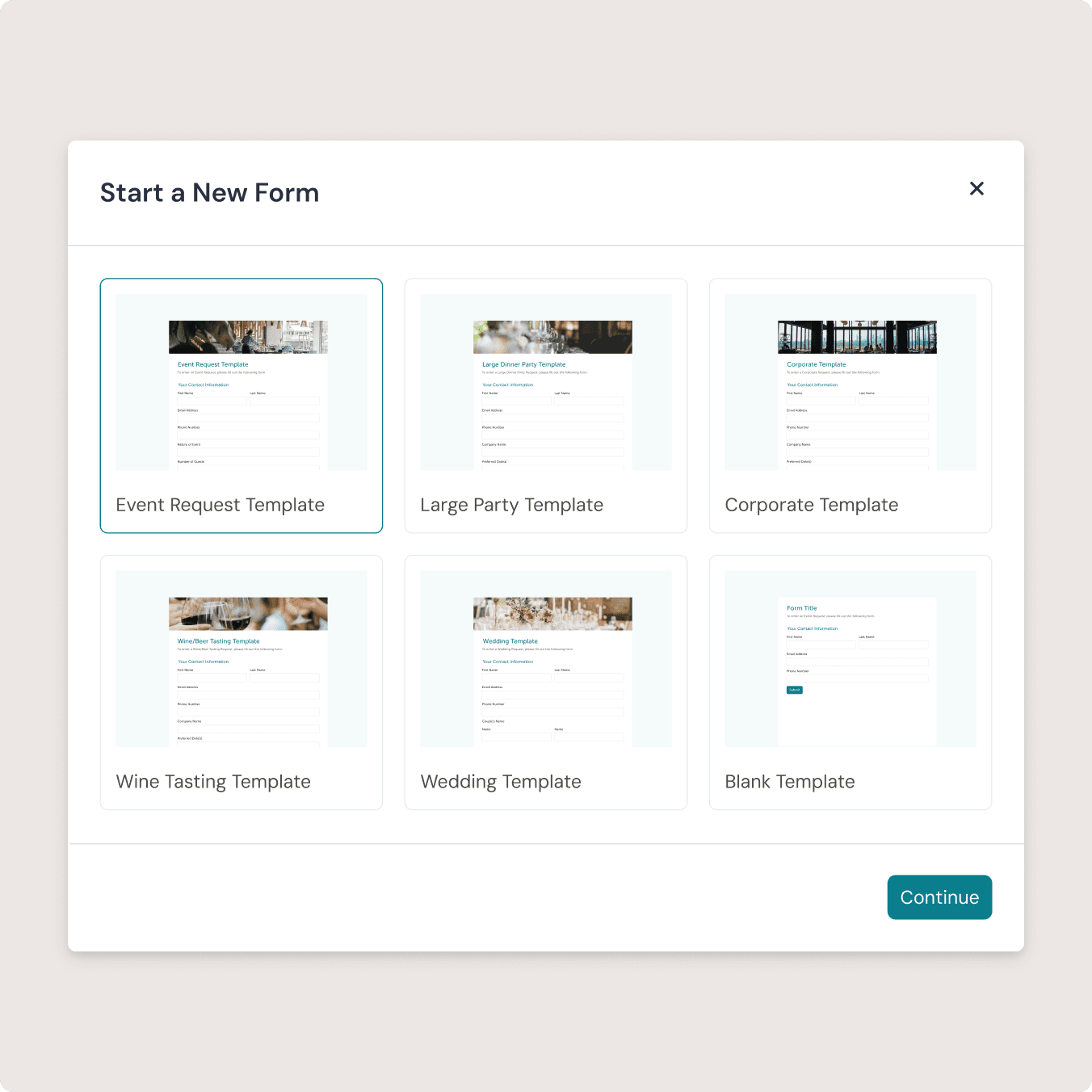
We worked with the client to understand the most common lead template types to speed up the process for users creating these forms.
Tailored to their Brand
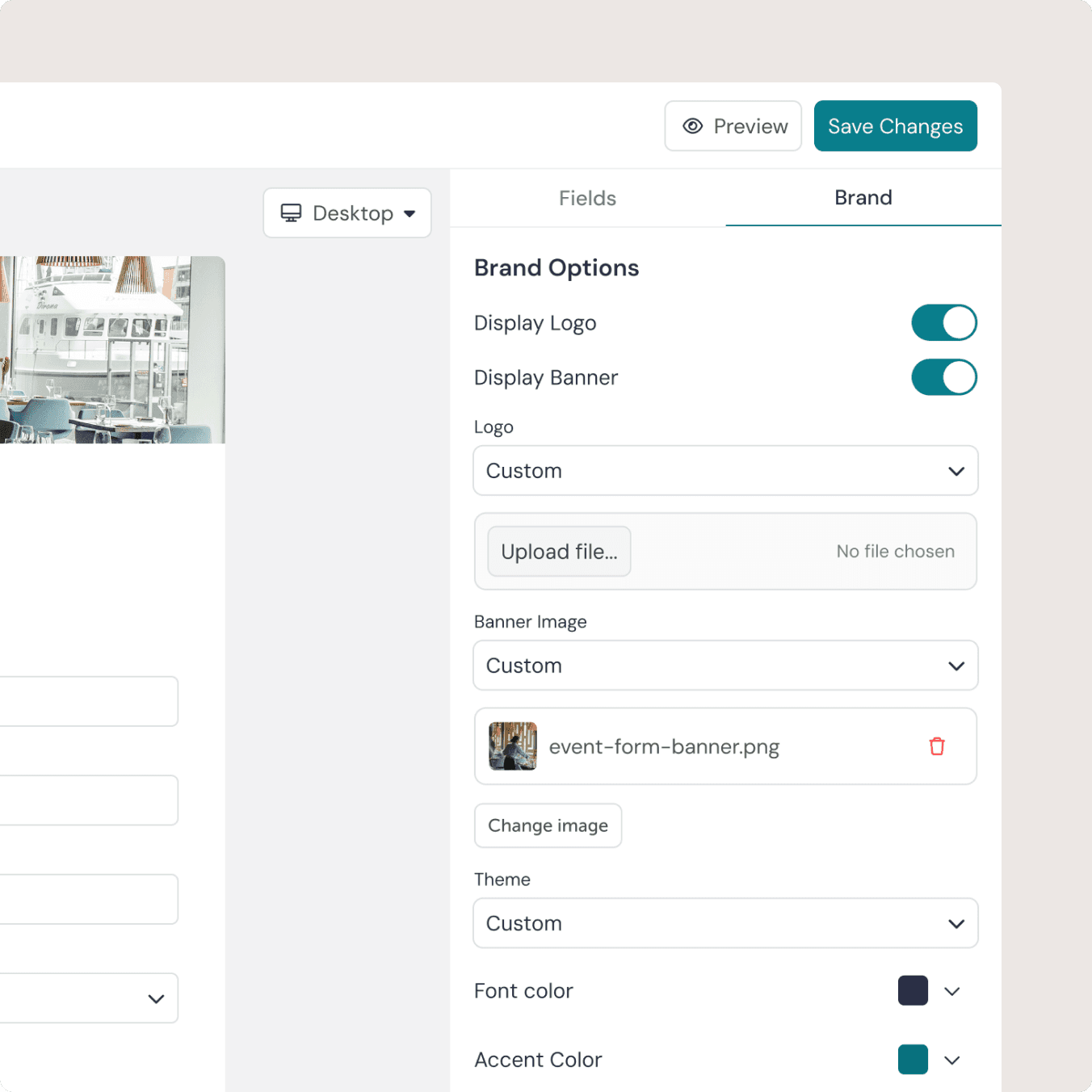
Users can customise key branding elements, such as colours and visual styling, so their lead forms feel like a natural extension of their website rather than a third-party tool.
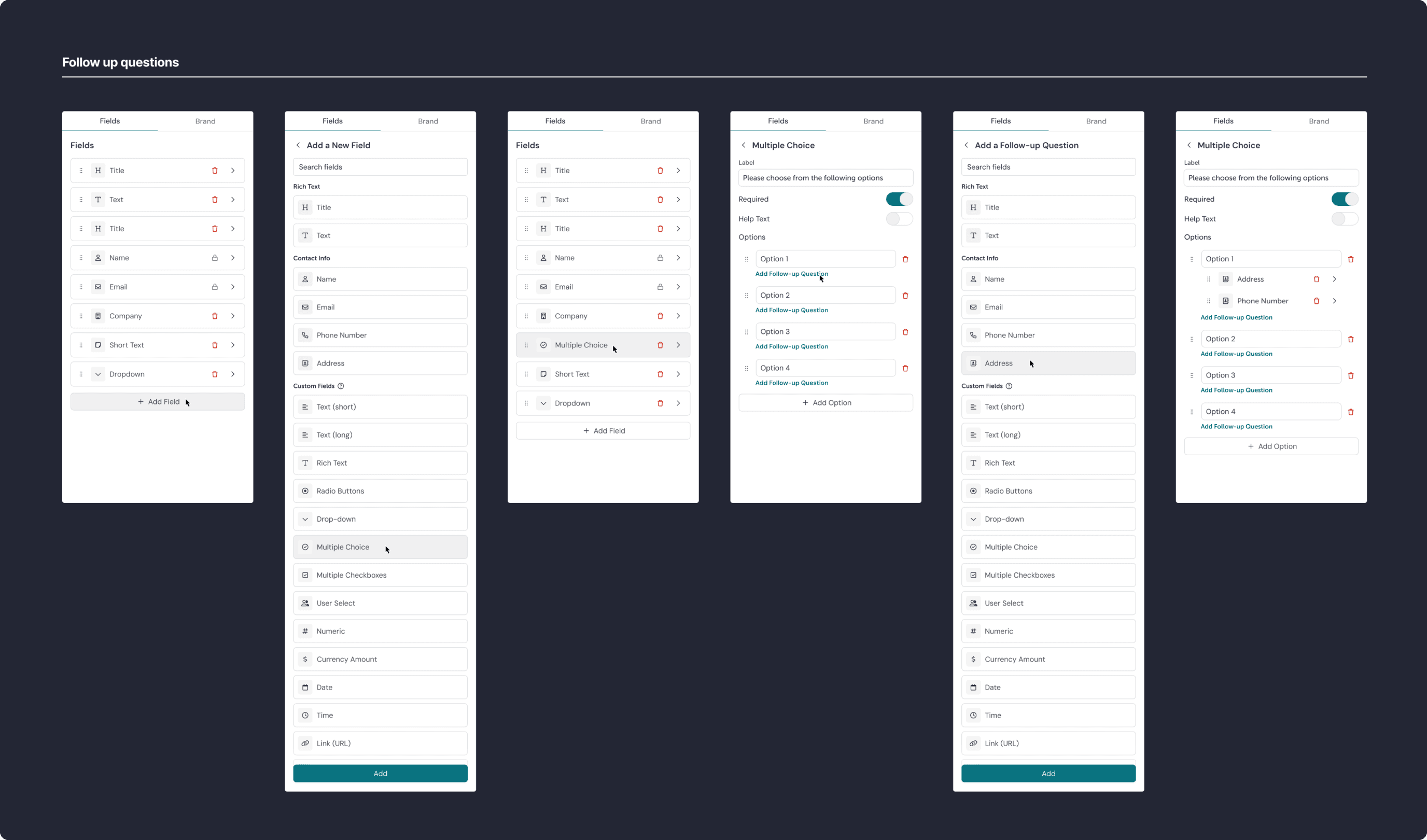
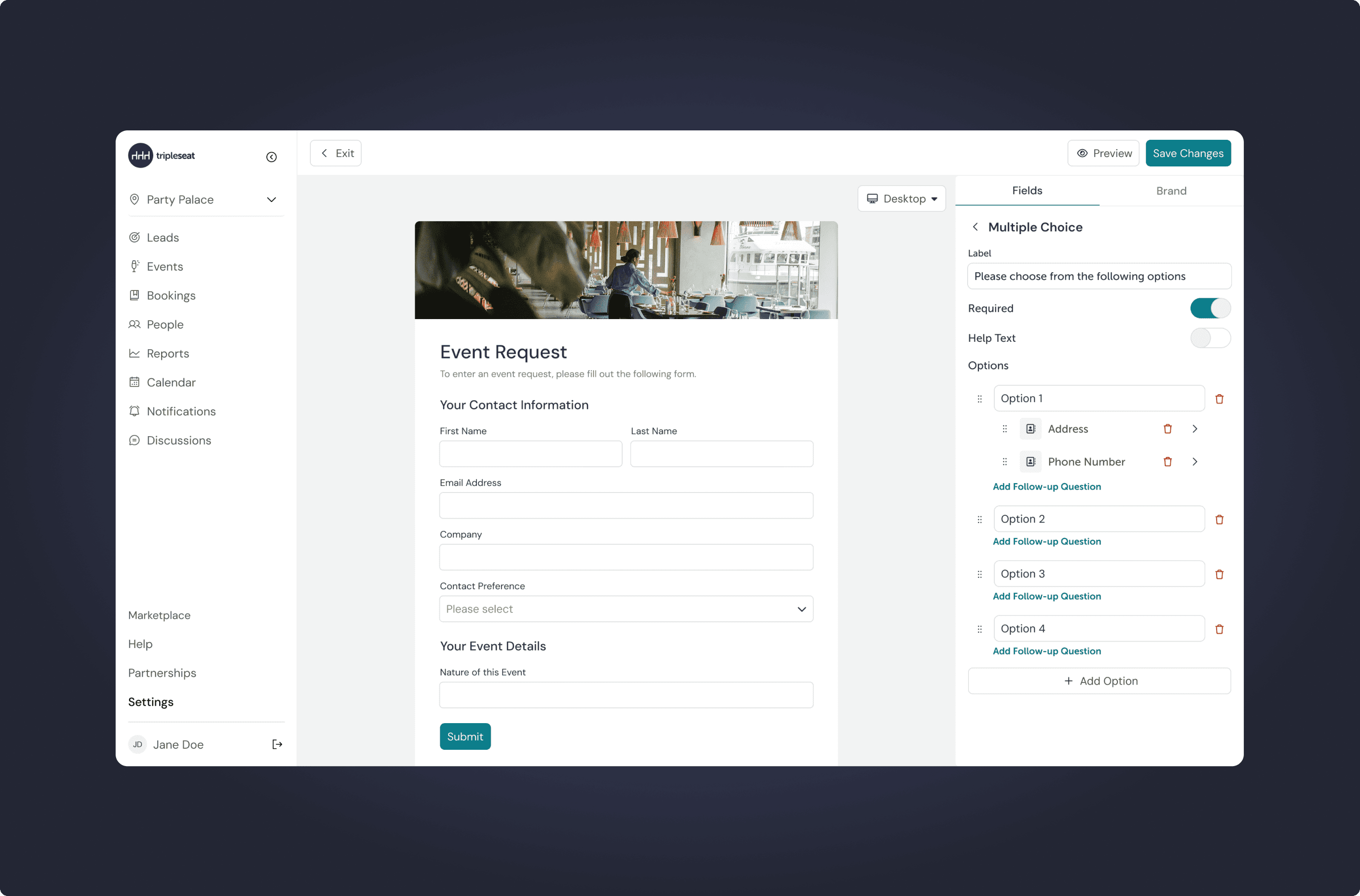
Follow-Up Questions
To give users more granular control, we introduced follow-up questions within the Lead Form Builder. Follow-up questions allow customers to reveal additional fields based on a guest’s previous response, allowing for a more customised guest experience.
Design Outcome
Flexible Customisation
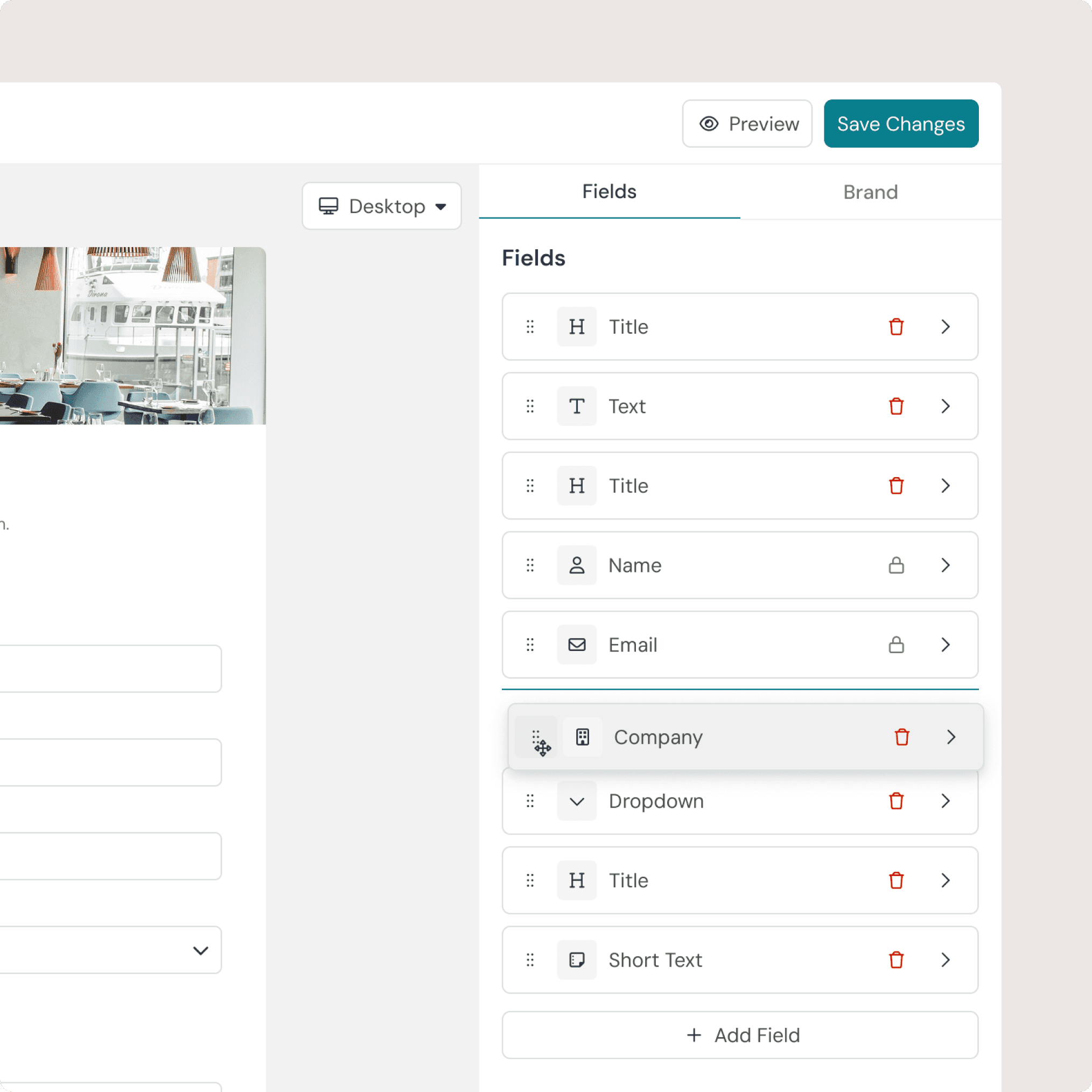
Users can now add custom questions, edit field names, and control field placement whilst viewing the form in real time.
Branding Control
Giving businesses control over layout, colors, and fonts ensured every form stayed on-brand, reinforcing trust with their customers.
Faster Form Creation
Intuitive workflows and guided design reduced learning time, letting users build forms with little to no training.
Reflections & Next Steps
Working closely with product and engineering ensured solutions were scalable and feasible. Next steps would include adding more customisation, more reusable templates, and analytics to capture richer lead data.